

Coffee shops and cafes
Guest WiFi for the laptop crowd, with payments and the menu screen on their own networks.
Dobson Fiber business internet and managed eero WiFi for restaurants, cafes, coffee shops and small businesses. Separate networks for payments, staff and guests, a branded guest login, and backup that keeps cards swiping when the line goes down.

In a modern restaurant, the network isn't supporting the business. It is the business.eero, The Restaurant Deployment Framework
Restaurants and cafes lean on WiFi hardest, but any business with a register, guests or a back office gets the same benefits.
Guest WiFi for the laptop crowd, with payments and the menu screen on their own networks.

POS, kitchen screens, kiosks and online orders running through the rush, with backup ready.

Card readers that never wait on a shopper's video, plus visitor counts to plan staffing.

Secure staff WiFi, a separate guest network for clients, and cameras and printers kept apart.
Pick your type of business for a starting point, then switch features on or off. We'll carry your picks into your quote so the conversation starts where you are.
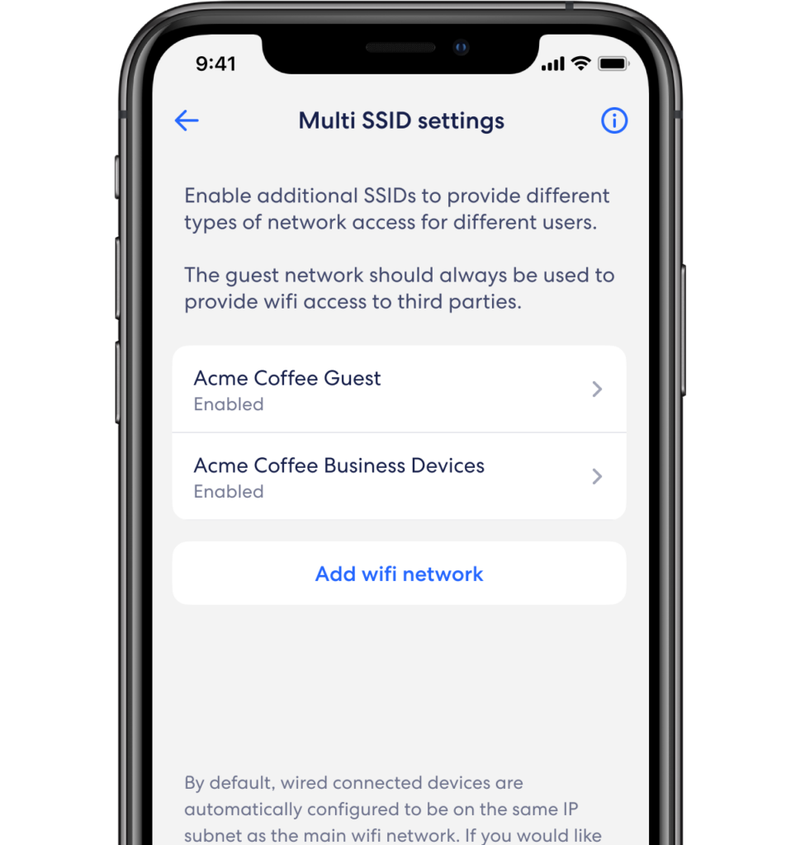
Your card readers shouldn't share a network with a customer's phone. eero for business gives you up to four separate WiFi networks, each walled off from the others.
Office computers, staff tablets and the manager's laptop.
POS and card terminals, isolated so no one else can reach payment data.
No password. Guests can't see each other's devices or yours.
Cameras, alarm panels, sensors and menu screens on their own lane.
Up to four networks in total: one main, one guest, and two business or device networks in any mix.
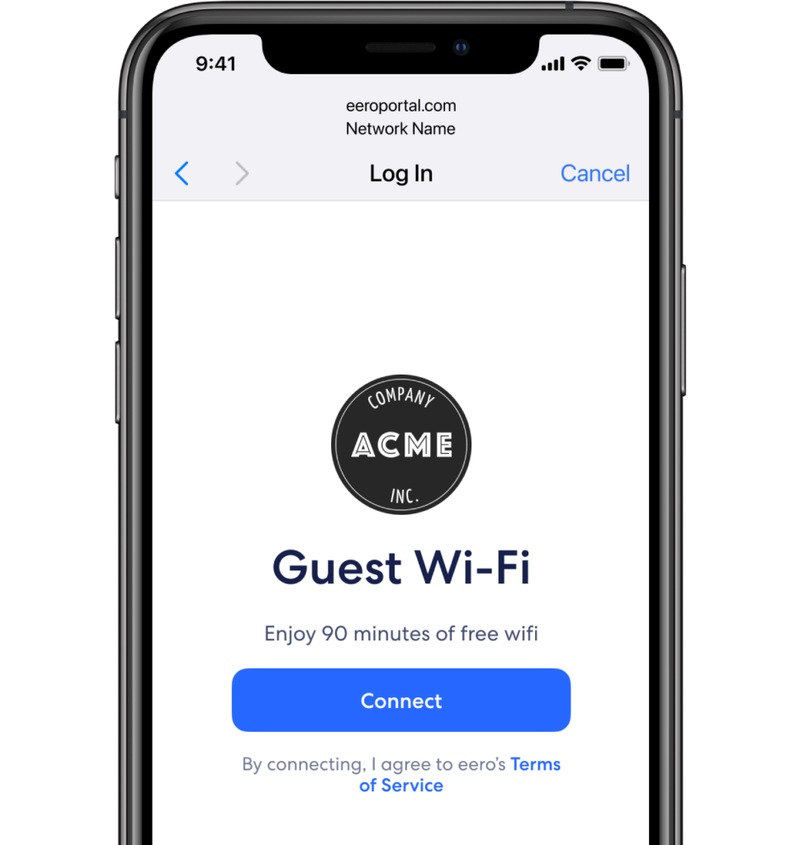
Guests tap Connect on a login page with your logo and your terms. No password on a chalkboard, no menu card to reprint every time it changes.
Your guest WiFi can do more than keep customers online. Add StayFi, a third-party guest WiFi marketing service, and connect HubSpot or the CRM you already use, and every login can start an automatic thank-you, a review request and a reason to come back.
An example story. Maya stops into a neighborhood coffee shop on a Tuesday morning. Here's what can happen next, with nobody on staff lifting a finger.
A branded login page asks for an email or mobile number, with a clear opt-in for messages. One tap and she's online.
Her details sync to HubSpot (or Mailchimp, Salesforce and others), tagged with the visit, so the right journey starts on its own.
A quick text checks in while the visit is fresh. Happy guests get a one-tap link to post on Google; anything less comes straight to you to fix.
A week later, an automatic email brings her back with a small treat. Skip a few weeks and a "we miss you" note goes out on its own.
Offers built on what she buys add a second drink or a pastry to the ticket, and a nudge to post a photo turns her into your marketing.
Happy guests asked at the right moment, every time.
Fresh, steady reviews help you show up when neighbors search nearby.
Welcome-back and win-back messages that send themselves.
Add-on offers and regulars-only perks tied to real visits.
Your Dobson team sets up the network that makes it work: fiber, eero for business and a guest network ready for StayFi and your CRM.
Get A Quote TodayExample only; results vary. StayFi and HubSpot are third-party services with their own pricing and terms. When StayFi runs your guest login, it takes the place of eero's built-in captive portal, and your Dobson team will help plan how it fits with your separate networks. Send marketing email and texts only to guests who opt in, and follow CAN-SPAM, TCPA and review-platform rules.
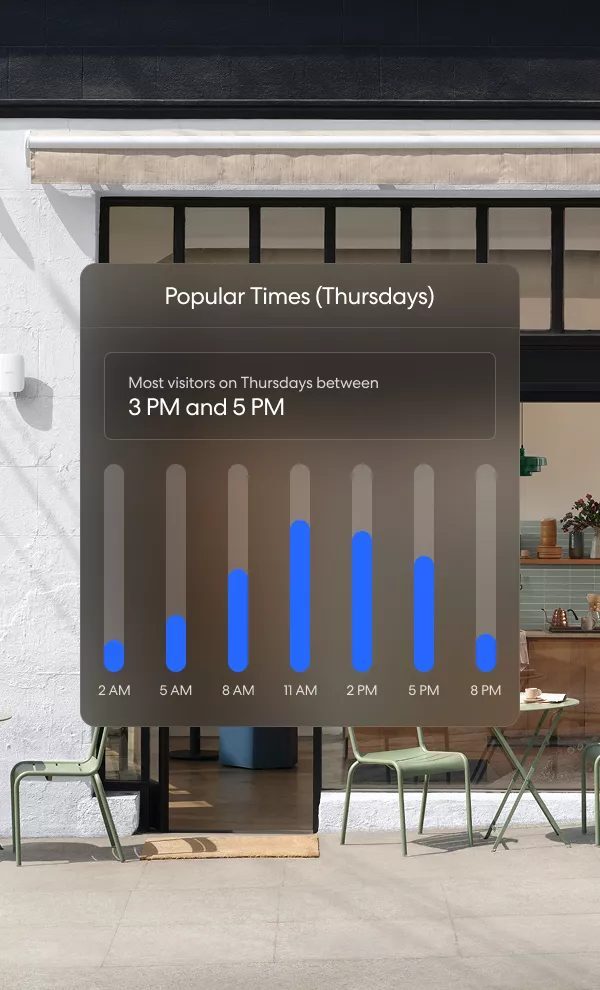
Your guest WiFi quietly counts visits. See your busiest hours by day and week, then staff the shift and set the hours to match.
Every eero for business network screens traffic before it reaches your devices, so a bad link on a staff tablet doesn't turn into a bad day.
Blocks malware, phishing and suspicious sites at the network level for every connected device.
Filters most ads before they load, so pages open faster on staff and guest devices.
Keep guest and device networks to content that fits your business. Block apps you don't want on the clock.
Point-of-sale gear lives on its own isolated network, away from guests and staff browsing.
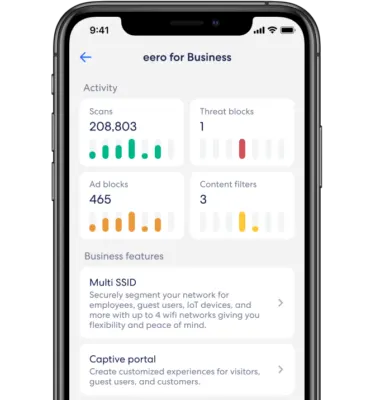
Scans, threat blocks, ad blocks and content filters show up in one activity view, next to your business features.
Dobson Fiber is built to stay up. For the moments outside anyone's control, eero Internet Backup switches your network to a backup connection on its own, then switches back when service returns.
Primary connection drops. eero notices right away.
Backup takes over. eero Signal moves your network to cellular, the eero lights turn aqua and you get a push notification.
Cards keep swiping. Orders keep printing and the line keeps moving.
Service returns. eero switches back to fiber and lets you know.
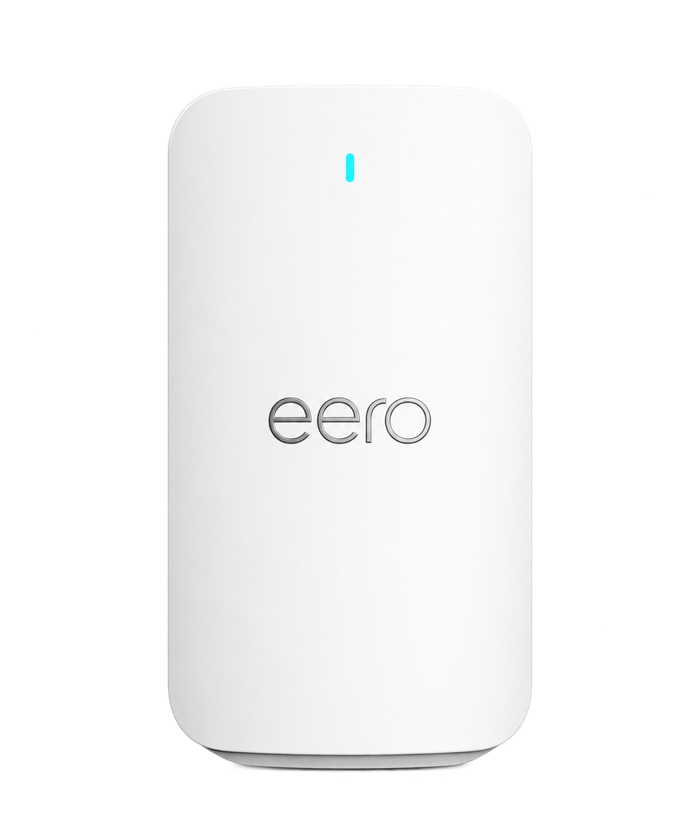
Backup data allowances depend on the eero plan. eero Signal has no battery, so pair it with a battery backup to ride out a power outage.
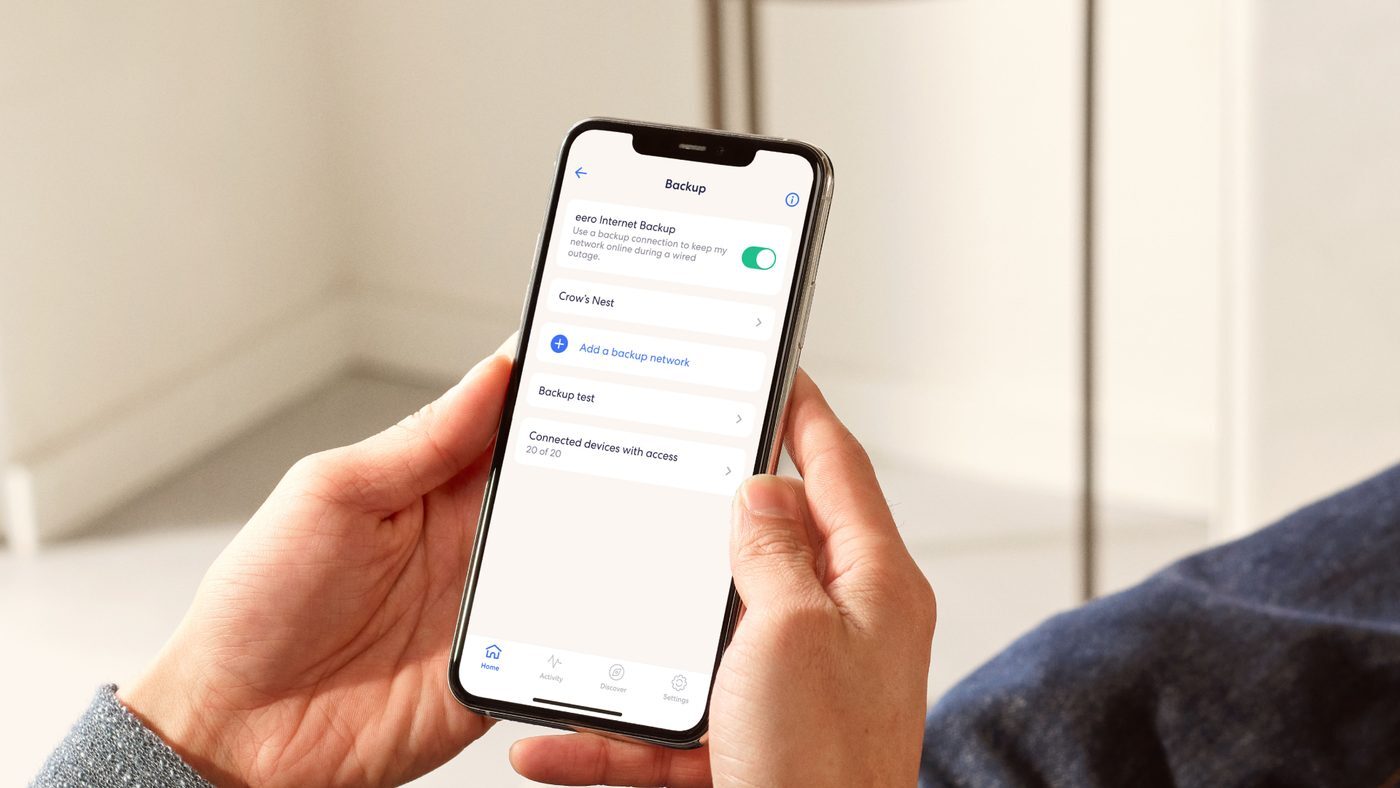
Hotspot backup, too. Internet Backup can also fall back to a nearby hotspot or another WiFi network you choose, and you can run a backup test from the app any time.
Registers, kiosks, printers and kitchen screens work best on a cable. eero's PoE gear powers and connects them, then fills the room with WiFi.
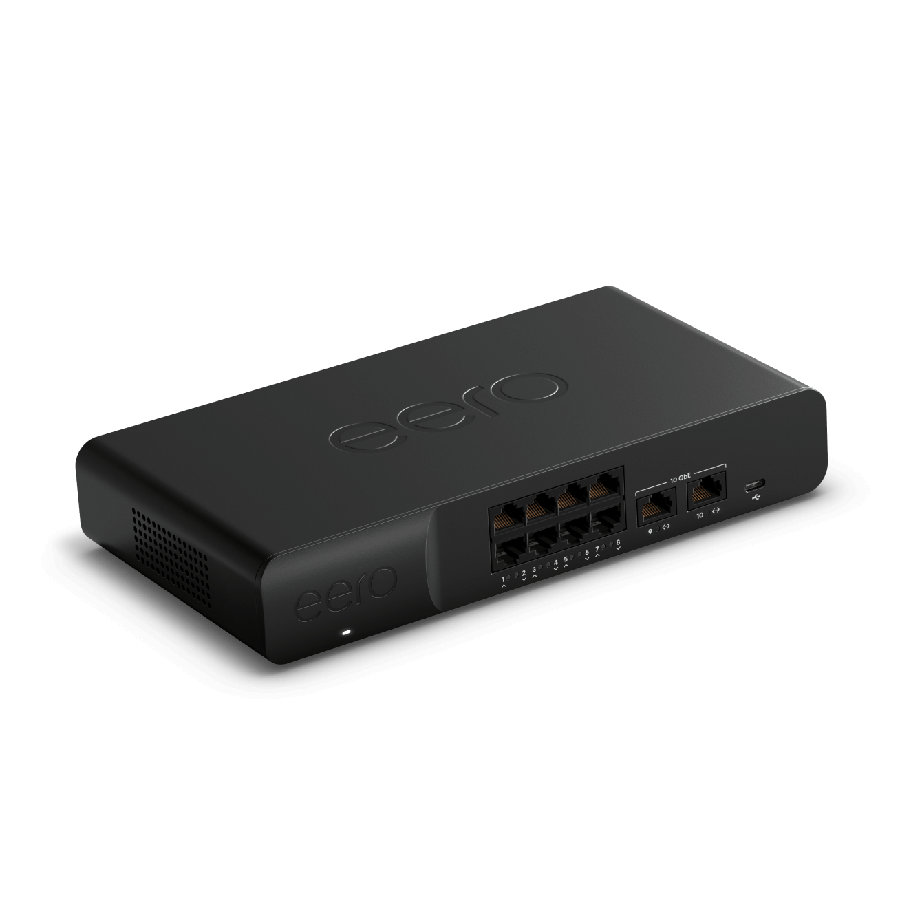
A router and power-over-ethernet switch in one box. One cable carries data and power to each access point, so there's no outlet to find on the ceiling.
The Gateway has no WiFi radio of its own. It pairs with eero access points for coverage. Need more ports later? Add a second Gateway to the rack and plug it in.
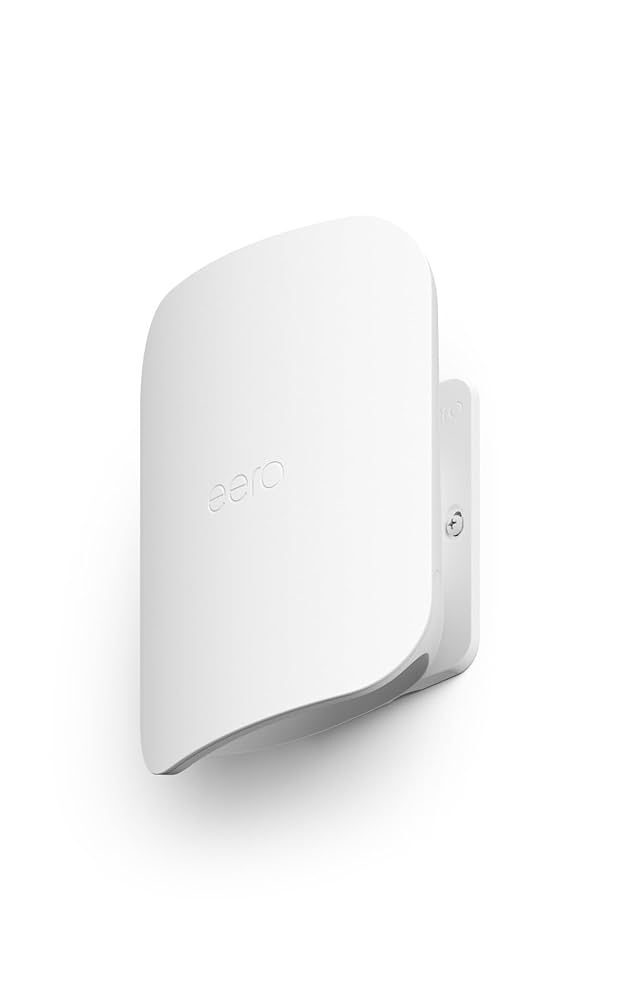
Low-profile WiFi 7 access points for walls and ceilings, powered by a single cable from the Gateway. TrueMesh keeps coverage steady from the counter to the back booth.
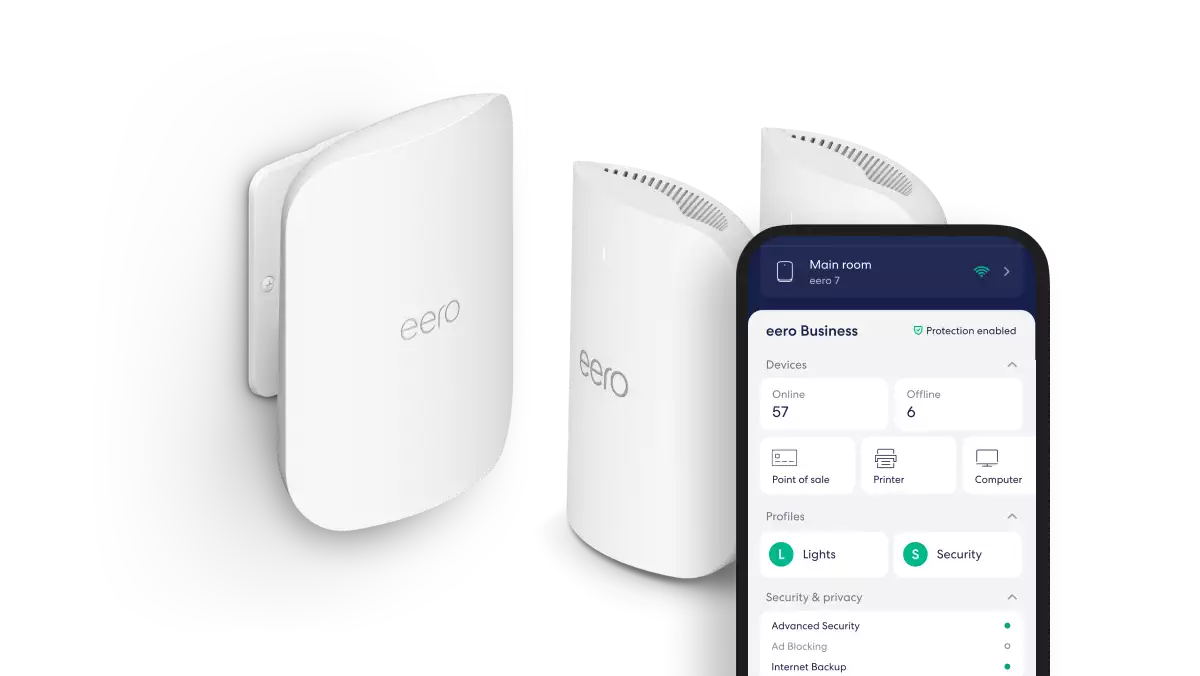
A smaller cafe may only need a couple of eero WiFi 7 units. eero Outdoor 7 carries WiFi out to the patio or drive-thru window.
Both subscriptions bring advanced security, ad blocking and backup. eero for business adds the tools a public-facing business needs. eero Plus adds privacy tools for owners and small offices.
Multiple SSIDs, a branded captive portal, guest bandwidth limits and visitor analytics, plus the security and backup features. Built for businesses with up to 50 employees.
Advanced security, ad blocking, content filters and backup, plus a VPN, Malwarebytes and 1Password. Annual eero Plus also includes eero Signal backup data.
| Feature | eero for business | eero Plus |
|---|---|---|
| Multiple SSIDs (up to 4) | ✓ | — |
| Branded captive portal | ✓ | — |
| Guest bandwidth limits | ✓ | — |
| Advanced Security | ✓ | ✓ |
| Ad blocking | ✓ | ✓ |
| Content filters and app blocking | ✓ | ✓ |
| Internet Backup (hotspot) | ✓ | ✓ |
| Usage history | ✓ | ✓ |
| VIP Support | ✓ | ✓ |
| VPN, Malwarebytes and 1Password | — | ✓ |
| eero Signal 4G LTE backup data | Ask your Dobson team | ✓ |
Feature lists from eero. eero for business and eero Plus are separate subscriptions; a network runs one or the other. Your Dobson team will recommend the right fit for your location.

Your general manager shouldn't have to reboot a router during the dinner rush. Dobson sets up your eero network, keeps an eye on it and makes changes remotely.
See devices, networks and usage from the eero app, from anywhere. Multiple admins can share access.
We can spot a problem and fix it remotely, often before anyone at the counter notices.
eero updates itself automatically with the latest features and security fixes. No maintenance window needed.
Priority eero support plus a local Dobson account team, with tech support 24/7 at 855.5.DOBSON.
A 10,000 sq. ft. quick-service flagship in Las Vegas runs six POS stations, four kiosks and six digital menu boards on eero, open nearly around the clock. Setup from a phone took two minutes.
Source: eero, "The eero Restaurant Deployment Framework" (2026). Results from one eero deployment; results vary by location.
eero can only be as good as the line feeding it. Dobson Fiber gives your business a 100% fiber, symmetrical connection, so uploads are as fast as downloads. Businesses that need a private, unshared line can step up to Dedicated Internet Access.
Upload as fast as you download, for cloud POS, online orders, camera backups and video calls.
From business fiber plans to Dedicated Internet Access at up to 400 Gbps, as you add locations.
Of Dobson fiber across Oklahoma, Texas and Arkansas, with a local account team.
Send the quote form or call. We'll ask about your layout, systems and hours.
Fiber, the right eero hardware, and your networks for payments, staff, guests and devices.
Install and setup scheduled so the front of house keeps running.
Remote monitoring, automatic updates and a local team when you need one.
eero for business is eero's WiFi platform for small and mid-sized businesses. It adds business tools to eero's mesh WiFi: up to four separate networks (Multi SSID), a branded guest login page, guest bandwidth limits, visitor analytics, advanced security, ad blocking, content filters, Internet Backup and VIP support.
Card terminals and POS systems handle payment data. Putting them on an isolated business network keeps guests and other devices from reaching them, and keeps a busy guest network from slowing down transactions.
It's the login page guests see when they join your WiFi. With eero for business it shows your logo and your terms of use, needs no password, and lets you set how long a guest stays connected: 30, 60 or 90 minutes, or up to 24 hours.
With eero Internet Backup, your network switches to a backup connection automatically. eero Signal 4G LTE adds a cellular backup that plugs into a compatible eero. Your eeros glow aqua while you're on backup, and the eero app notifies you when service drops and when it returns.
eero Signal doesn't have a battery. To keep your network up during a power outage, connect your eero equipment and eero Signal to a battery backup (UPS).
If customers use your WiFi, eero for business is usually the right fit because it adds separate networks, the captive portal and guest bandwidth limits. eero Plus fits small offices that want a VPN, Malwarebytes and 1Password. A network runs one or the other, and your Dobson team will help you choose.
eero designs eero for business for businesses with up to 50 employees. Larger spaces add access points and PoE Gateways; we'll size the system during your walk-through.
No. eero sets up from a phone, updates itself automatically, and Dobson can monitor and adjust your network remotely. You can still see everything in the eero app.
Yes. We design the network once and repeat it at each location, so every site runs the same way and can be managed together.
Tell us about your business and we'll put together a custom quote for Dobson Fiber and managed eero WiFi. A local account team member will follow up.
We'll add these to the message box below so your account team sees them.
eero Signal plugs into an eero you already have. Your Dobson team can set it up for you, or follow the steps in the eero app.
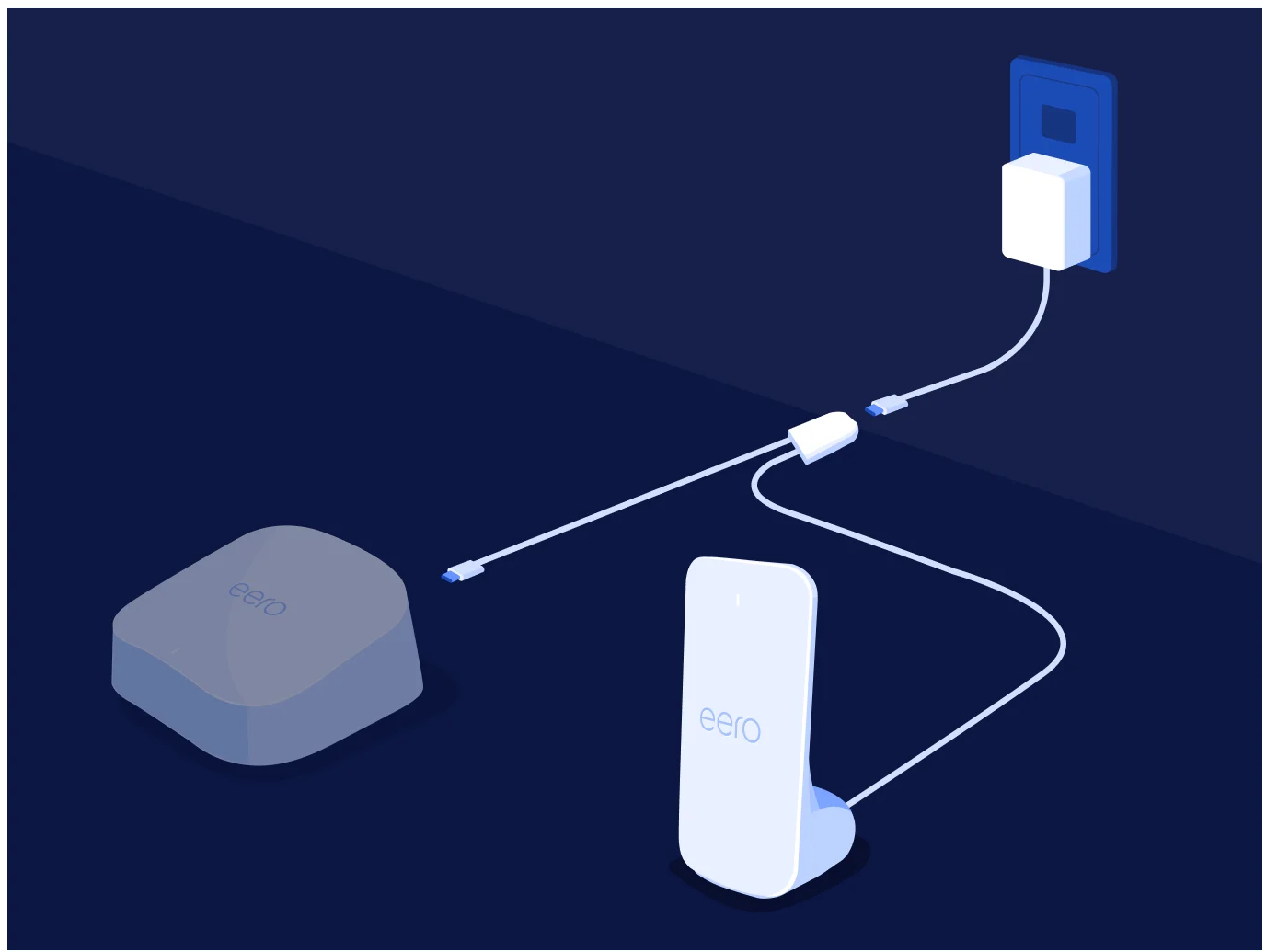
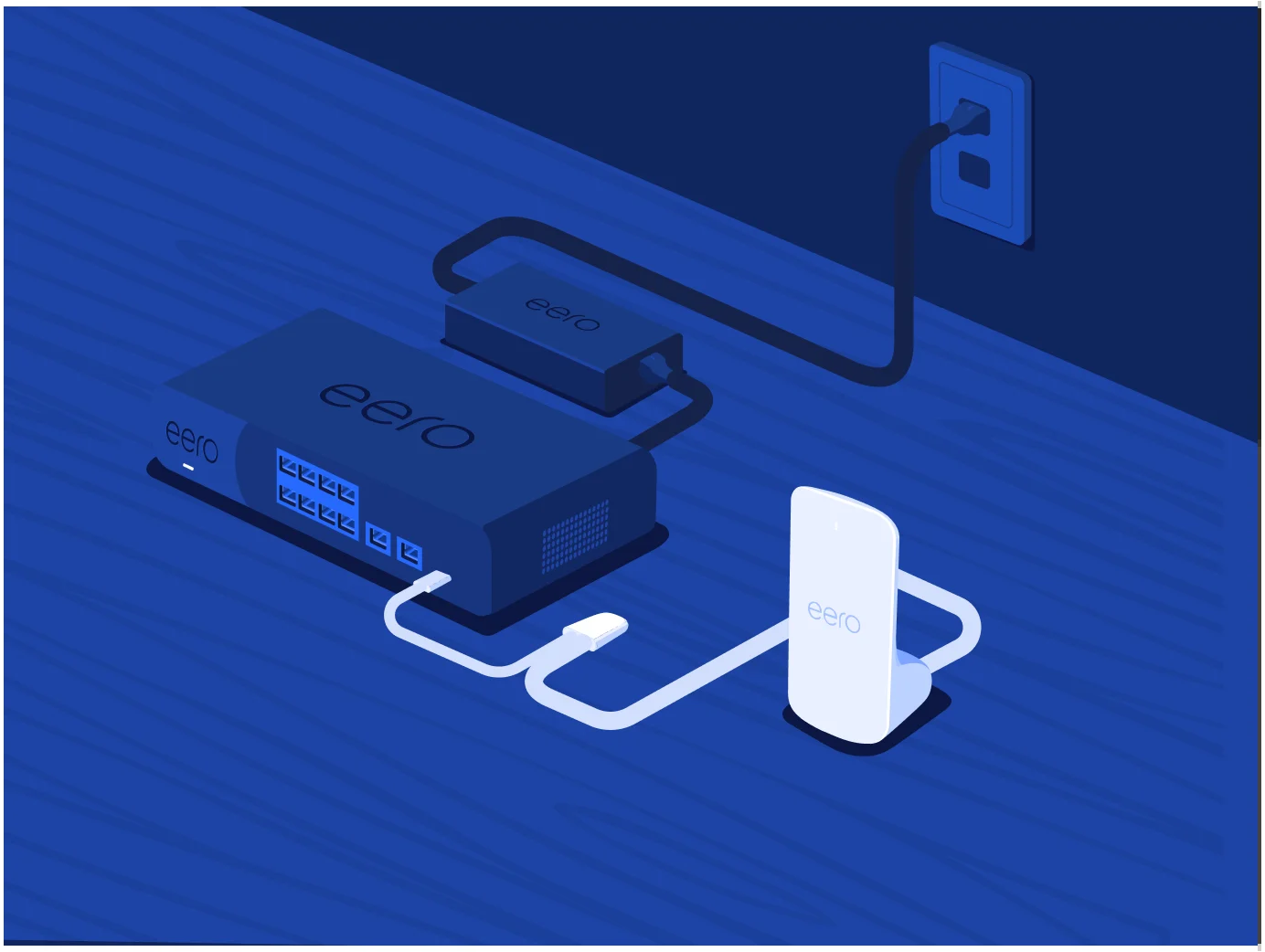
Tip: Put eero Signal on the eero with the strongest cell signal, up high and near an outside wall.

Luckily, There's Dobson Fiber. Fast. Reliable. Local.